Frequently Asked Questions
Why can't I login?
We would first ask that you check you are going to the correct URL (https://login.wildheartsdirect.co.uk/). If your login details do not work on this page there is an option to click 'problem signing in button' this will then you forward you to a webpage that will allow you to do one of the following,
'Forgot Password' - You would need to input the relevant information which would then generate an automated email this will give you the ability to re-set your password, (providing the details on your profile are correct i.e. Email address). There is a possibility that this may go direct to your SPAM inbox so we would ask that you check this before calling.
If you have forgotten all of your details, you can either call our e-commerce helpdesk on 0843 538 3499 or fill in the 'forgotten user details' form. This will send an email to our helpdesk team who will re-send your login details to your direct.
How do I change my password?
If you are logged into your account and would like to amend your password, you can do so by clicking your name under the section 'account services'. There is then a padlock, this will take you to a screen where it will allow you to update your current password, your password must be 8 and 12 characters and include at least 1 letter and 1 number.
Why can't I choose my own username?
When your online ordering profile is created you must be allocated to a 'master' group. So we are able to differentiate between groups and users there is a 'prefix' allocated to users i.e. WHOarmitage. As you will see the 'prefix' to this customer is 'WHO' as this represents the company/ group they as a user sit under, the secondary 'Armitage' part relates to the customer directly i.e. their surname. All accounts are set-up in a similar way and because of this we allocate you a username at time of creation for administration ease.
How do I see different addresses I have access to?
When you are logged into your WildHearts profile you have the ability to switch between different addresses, this function can be found under 'Account Services' ? 'Switch Address', here will provide you with a list of all the addresses and subsequence account numbers you have access to.
Why don't I have access to 'x' address?
If you need to order to a location that is different to what you currently have access to on your online ordering profile, we would ask that you speak with your WildHearts representative who will confirm the relevant information to our E-commerce department. Once they have updated your online profile with the information you have requested, they will confirm to your account manager who will re-confirm with you.
Why can't I see a product(s)?
Your account rep' may have made a decision that you as a user or your account that you sit within, have certain parameters set so you can only see products that are relevant to you. We would ask that you discuss the missing product(s) with them and if this isn't the case, they will then confirm with our e-commerce department who will look into the issue for you.
How do I check current stock levels?
Before proceeding through the checkout with your order, directly above your first item in the shopping basket there is an option to refresh the stock levels of the items in your basket. You have the option to either 'Enter your Post Code' or 'choose your address from the list'. This will update every item in your shopping basket with the correct levels of stock for the delivery address you have chosen.
Why are my products changing in the basket?
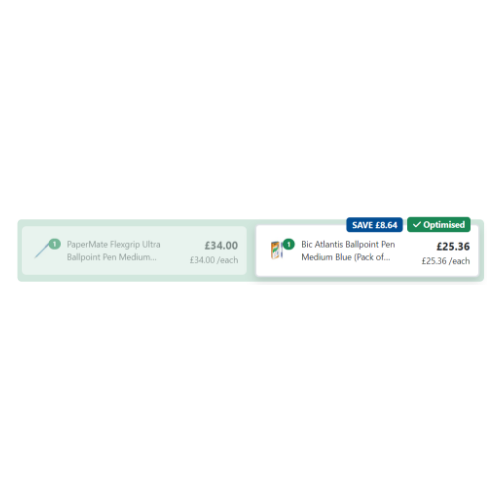
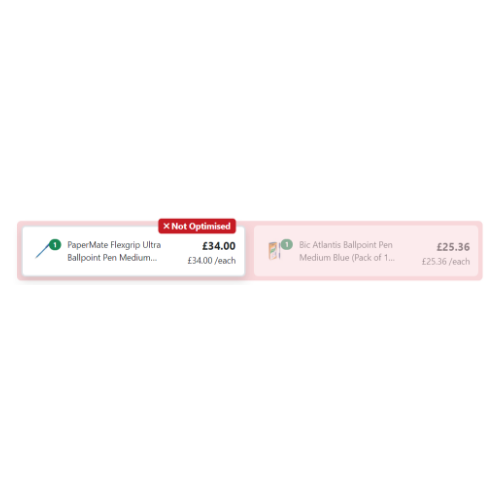
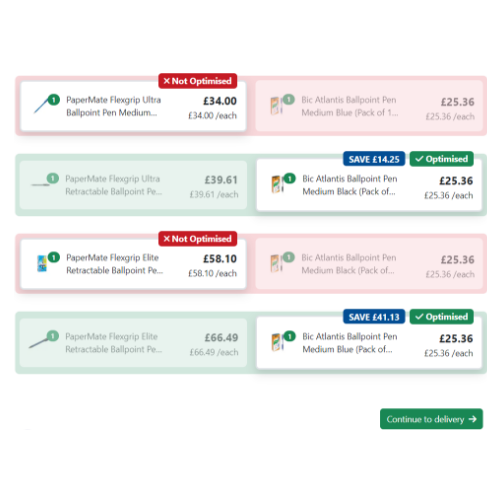
When ordering with us online, we offer a service that will look at your items in your basket and if there is a better value for money option it will inform you of this in your basket area. This is an optional alternative with a tick symbol next to the relevant item, as we do understand that the service may not be applicable to you. If this service is not required, we would ask that you speak with your account rep' who will discuss the details with you and forward the relevant information to us if any changes are required.
Why am I being asked/ not being asked to enter Credit Card details?
If you believe that you should be being/ not being asked to enter credit card details at point of purchase, we would ask that you speak with your WildHearts Rep' immediately. If they cannot confirm why this is the case, they will confirm with our credit control department have embedded the relevant details for you prior.
Why are my orders going to a third party for authorisation?
A decision may have been made by your WildHearts rep' that you and/or some of your colleagues orders will go to a third party for authorization, for example your direct manager. If you believe that this is in anyway incorrect, we would ask that you speak with your WildHearts rep' who can explain the process to you or send any relevant changes to our e-commerce department.
Why aren't my orders going to a third party for authorisation?
Similar to the above, a decision may have been made to remove any authorization from your profile. If you believe that this is in anyway incorrect, we would ask that you speak with your WildHearts rep' who can explain the process to you or send any relevant changes to our e-commerce department.
How do I authorise and purchase?
When an order has been placed that you have been requested to authorise you will be notified by email. Once you have logged into your online profile with WildHearts you will see a flashing triangle on the home page which will notify you that you have 'x' amount of orders to authorise. Once you have gone into this section you can, review, approve, reject or refer the order.
Why am I not receiving order confirmations?
There are a few possible scenarios that would cause this to happen;
- The First, is your email address correct on our system? You can check this on your profile under account services.
- The second, do you have your purchases authorized by a third party i.e. your manager? If so, this email will not generate until they have authorized the purchase.
- The third, has the email been rejected due to company firewalls or has it been sent directly to SPAM?
If the above three scenarios are not the cause of the issue, our e-commerce department would then contact our Outlook Exchange team who would ensure the email is being generated correctly and issued.
How do I track my orders?
When you are logged into your profile on our WildHearts webpage, there is a section under 'Account Services' called 'Order Tracking'. If you enter this section, you will be taken to a webpage which will allow you to search for your order under the following criteria;
- Search for orders by date range
- Search by order number, Your Order Number or Our Order Number
- View the last 100 orders
It is very important that the address showing under the section 'account services' matches the address you placed the order under, if it does not you will not see any matches from your criteria.